Function Calling in LLM Applications
LLMs are used very widely today, from the most common chat Q&A (e.g. ChatGPT, DeepSeek chat) to retrieval-based question answering systems; you see them everywhere.
In LLM (large language model) application development, Function Calling is a powerful mechanism that lets a model go beyond pure text generation and interact with the outside world more deeply. Through it, we can give an LLM the ability to invoke specific tools or APIs, unlocking countless complex and practical use cases.
What is Function Calling
Simply put, Function Calling is the ability for an LLM to understand and generate specific structured data (JSON) that triggers an external function or tool. You don't have the model perform an operation directly; instead you tell it, "when the user wants to do X, return a function name with specific arguments to me." Your application code then receives this "function call" instruction and is responsible for actually executing the function.
By definition, Function Calling is the model generating structured data to trigger an external function.
The overall workflow is:
- The developer provides function descriptions (schemas) to the LLM.
- The user's input creates a need for one of the functions.
- The LLM generates a JSON object containing the function name and arguments, based on the function description.
- The developer's application code parses and executes the function.
Why Function Calling is needed
Without Function Calling, an LLM can only answer with what it already "knows". Ask "What's the weather like today?" and it may produce a description of weather, but it can't actually tell you the current conditions.
Limitations of LLMs
Function Calling addresses several limitations of LLMs.
A static knowledge base
An LLM is trained on a huge body of knowledge, but that knowledge is static: it cannot get the current weather in Shanghai.
Limited model capabilities
Continuing the example above: if we want to save the weather we retrieved, the LLM cannot store it in a database for later analysis on our behalf.
Limited reliability of model output
LLMs have always had the "hallucination" problem. Without grounding in a specific context, their answers may be inaccurate; for example, if you ask one to guess how to use an API without giving it the exact format, what it produces may well be wrong.
Building a simple Function Calling application
To demonstrate a Function Calling application, I chose OpenRouter as the LLM cloud provider. It integrates a large number of LLM vendors, which makes choosing a model convenient.
One thing to note: OpenRouter offers many models, many of them free. If you want to use Function Calling, whether the model is free or paid, first check whether it supports Function Calling; you can use the filter on the left side of the page (filter by Tools support).
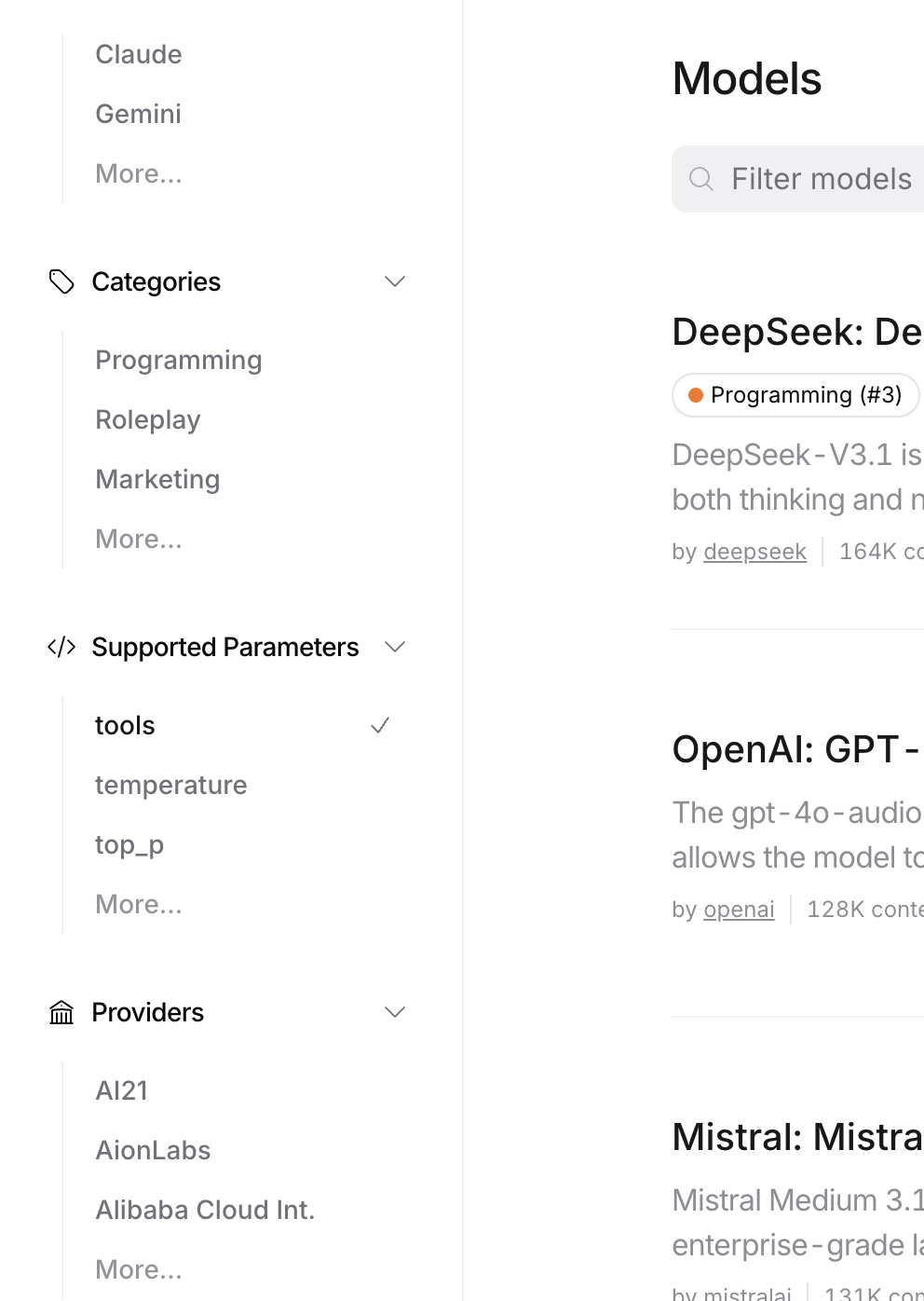
I use the DeepSeek V3.1 model for the demo, with an example external function that counts the number of articles on the site. Let's go through the call flow step by step:
Step 1: Define the function (tool definition)
Defining the function tells the LLM which external functions this application supports. In practice, you create a JSON Schema for each external function and put it in the LLM request parameters.
For example:
{
    "model": "deepseek/deepseek-chat-v3-0324",
    "tools": [
        {
            "type": "function",
            "function": {
                "name": "count_of_articles",
                "description": "Return of total count of blog articles in the website",
                "parameters": {
                    "type": "object",
                    "properties": {},
                    "required": []
                }
            }
        }
    ],
    "messages": [
      // ...
     ]
}
This example defines an external function that counts how many articles the blog has in total. When the LLM receives the external functions defined in tools, it parses them; how a function is used and what it means are specified through description and parameters.
Step 2: Call the LLM API
With the function defined in JSON, we send it to the LLM as part of the request. We also put our text request in messages, for example (the system prompt says, roughly, "You are an AI assistant that answers user questions so they can quickly get information about blog articles; tell users that heavy usage will trigger rate limits", and the user asks "How many articles does the site have?"):
{
  // ...
  "messages": [
        {
            "role": "system",
            "content": "You are an AI assistant that answers user questions so they can quickly find blog posts. Tell users that frequent use may trigger rate limits."
        },
        {
            "role": "user",
            "content": "How many posts does the site have?"
        }
    ],
}
Once these are added, the whole request can be sent to the LLM.
Step 3: Parse and execute the function
While processing the request, the LLM notices there is an external function for counting articles, so it returns:
{
    "id": "gen-1750571355-aHglwd9IFp4rXZs92i",
    "provider": "Novita",
    "model": "deepseek/deepseek-chat-v3-0324",
    "object": "chat.completion",
    "created": 1750571355,
    "choices": [
        {
            "logprobs": null,
            "finish_reason": "tool_calls",
            "native_finish_reason": "tool_calls",
            "index": 0,
            "message": {
                "role": "assistant",
                "content": "",
                "refusal": null,
                "reasoning": null,
                "tool_calls": [
                    {
                        "index": 0,
                        "id": "call_7gp5viqwa4lku1jy1xep1tfw",
                        "type": "function",
                        "function": {
                            "name": "count_of_articles",
                            "arguments": "{}"
                        }
                    }
                ]
            }
        }
    ],
    // ...
}
It returns a tool_calls request from the assistant role, containing the requested external function name (function.name) and arguments (function.arguments). Note the tool_calls.id here as well; it is needed later.
Step 4: Feed the function result back to the LLM
Once we have the function call returned by the LLM, we execute the external function as requested and add the result to the message list.
External functions
The external function here can be a locally executed function that looks up or performs a local task, but it can just as well be a remote API endpoint, fetching the result of a remote operation using an API key.
Suppose our blog's external function ends up counting 232 articles. We then add the result to the messages:
{
    // ...
    "messages": [
        {
            "role": "system",
            "content": "You are an AI assistant that answers user questions so they can quickly find blog posts. Tell users that frequent use may trigger rate limits."
        },
        {
            "role": "user",
            "content": "How many posts does the site have?"
        },
        {
            "role": "tool",
            "tool_call_id": "call_7gp5viqwa4lku1jy1xep1tfw",
            "name": "count_of_articles",
            "content": "232"
        }
    ],
}
The added message has the tool role and specifies the tool call ID (tool_call_id), the function name, and the result. We send this request to the LLM again, and it finally produces a natural-language answer (here: "The site currently has 232 articles. Heavy querying may trigger rate limits, so please use it reasonably."):
{
    // ...
    "choices": [
        {
            "logprobs": null,
            "finish_reason": "stop",
            "native_finish_reason": "stop",
            "index": 0,
            "message": {
                "role": "assistant",
                "content": "The site currently has 232 posts. Frequent queries may trigger rate limits — please use them reasonably.",
                "refusal": null,
                "reasoning": null
            }
        }
    ],
}
That completes the full Function Calling flow. Real applications can do much more.
Advanced usage and best practices
The above demonstrates a simple example with a single external function; depending on the use case, there are more sophisticated patterns.
Multi-tool calling
Note that the example above defines only one external function (counting articles). Real applications often expose more than one: several external functions with different purposes for the LLM to use.
Compared with the simple example, the only difference with multiple tools is in the function definitions; nothing else changes much. Here is how multiple external tool functions are defined:
{
    // ...
    "tools": [
        {
            "type": "function",
            "function": {
                "name": "count_of_articles",
                "description": "Return of total count of blog articles in the website",
                "parameters": {
                    // ...
                }
            }
        },
        {
            "type": "function",
            "function": {
                "name": "search_article",
                "description": "Search a specific article by the content",
                "parameters": {
                    // ...
                }
            }
        }
    ],
    // ...
}
Pretty simple, right? When multiple external tool functions are defined, the LLM automatically picks the right one (mainly based on the function descriptions, so don't write them carelessly).
Chaining
Chaining is a popular style. It abstracts each conversation with the LLM into a session transaction, where each transaction handles one step of solving a problem (this eases the LLM's token limit and matches a problem-decomposition mindset). Linking these steps into a chain gives you a solution to a complex problem.
LangChain
LangChain is an open-source framework designed specifically to implement and manage "chains". It provides a full toolkit for this and is very easy to get started with.
As an example of chaining, consider a novel-summarization system. Traditionally, with a single LLM session, a whole novel obviously can't fit, so we decompose the problem, for instance by defining some external functions:
- List the chapters
- Measure each chapter's size and summarize it in segments
- Combine the chapter summaries
- Summarize the whole novel
The flow looks like this:

Improving on LangChain
The problem with LangChain is that it is sequential, which inevitably leads to overly long chains for complex problems. This led to LangGraph, whose main feature is running things that can be parallelized in parallel, so answers come back faster, at the cost of added system complexity.
Summary and outlook
Function Calling gives LLMs the ability to invoke external functions, letting them interact much better with the outside world. It is the bridge to the external world, with very broad applications in AI agents and automation, and the technology will keep iterating and evolving.